
Share
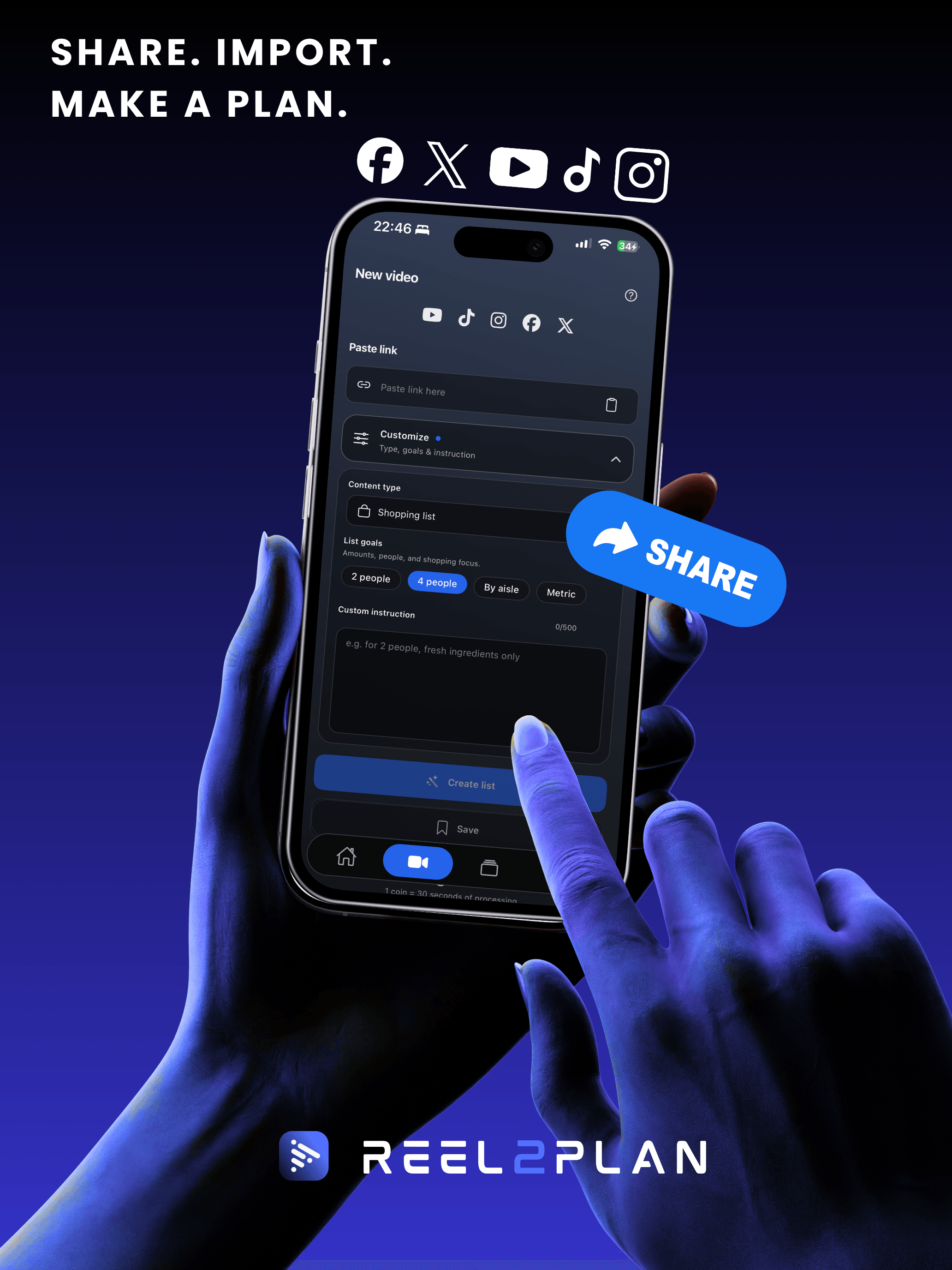
Send a video from TikTok, Instagram, YouTube, Facebook or X to Reel2Plan — or paste the link. That’s it.
For iPhone

Turn the video you saved into a plan you execute — not a summary to scroll past, but ingredients, exercises and steps to check off. With timers, and progress that sticks.
The problem
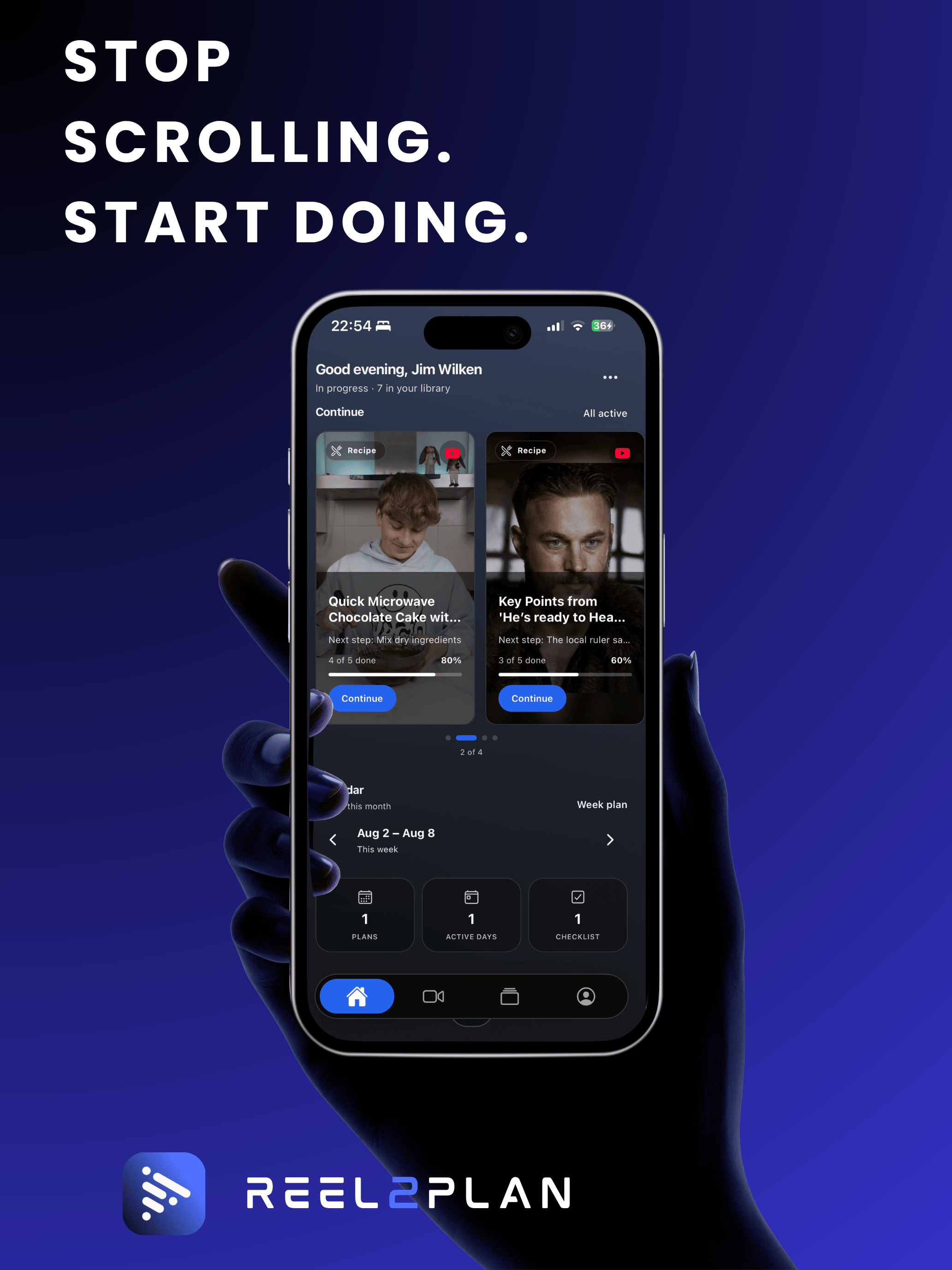
Your collection grows faster than you use it. Reels, screenshots, “later” tabs — and when you finally start, you hunt for one measurement in the video instead of cooking, training or building.
How it works
No setup marathon. Share it, get the plan, get going.
Send a video from TikTok, Instagram, YouTube, Facebook or X to Reel2Plan — or paste the link. That’s it.
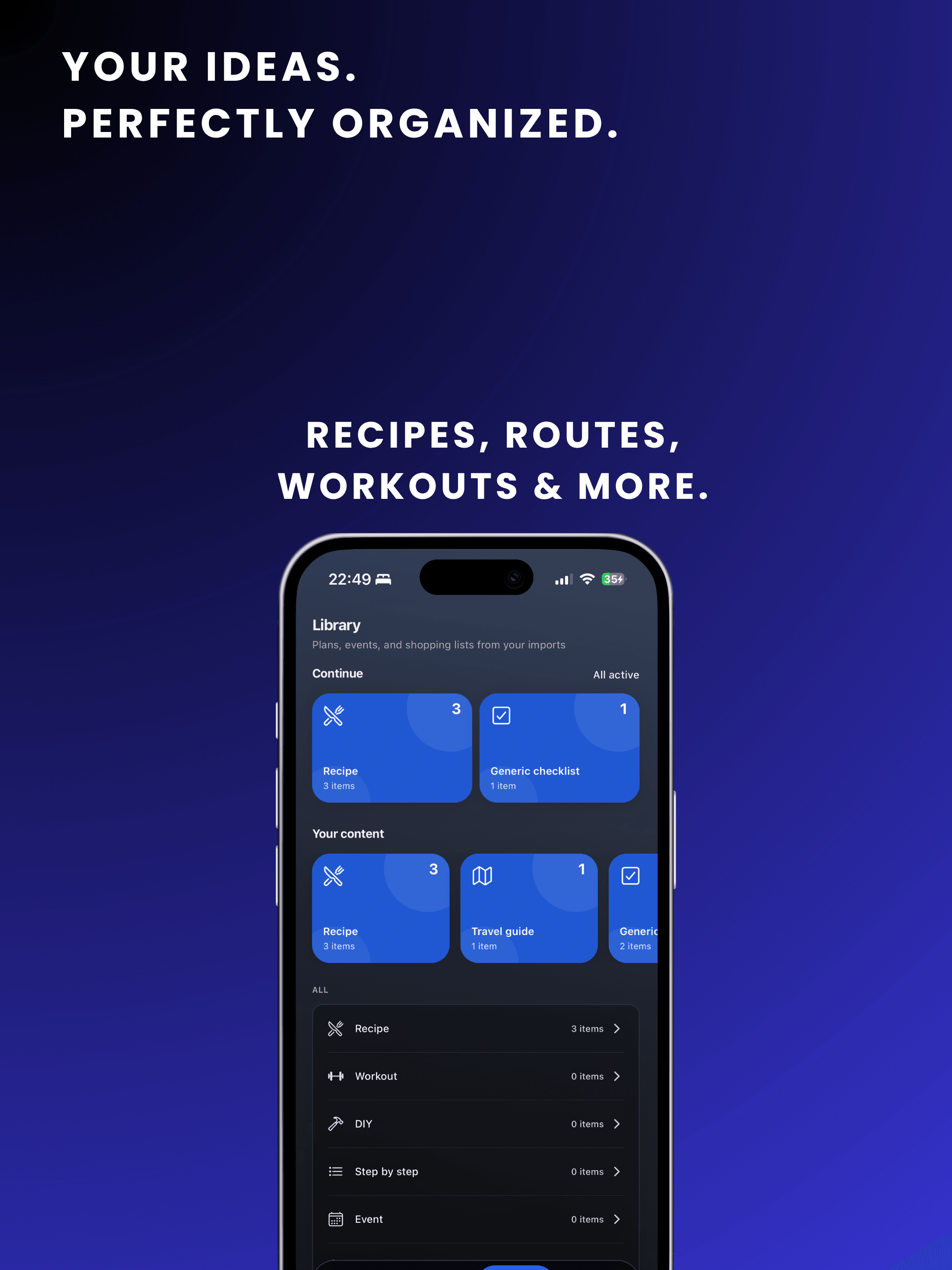
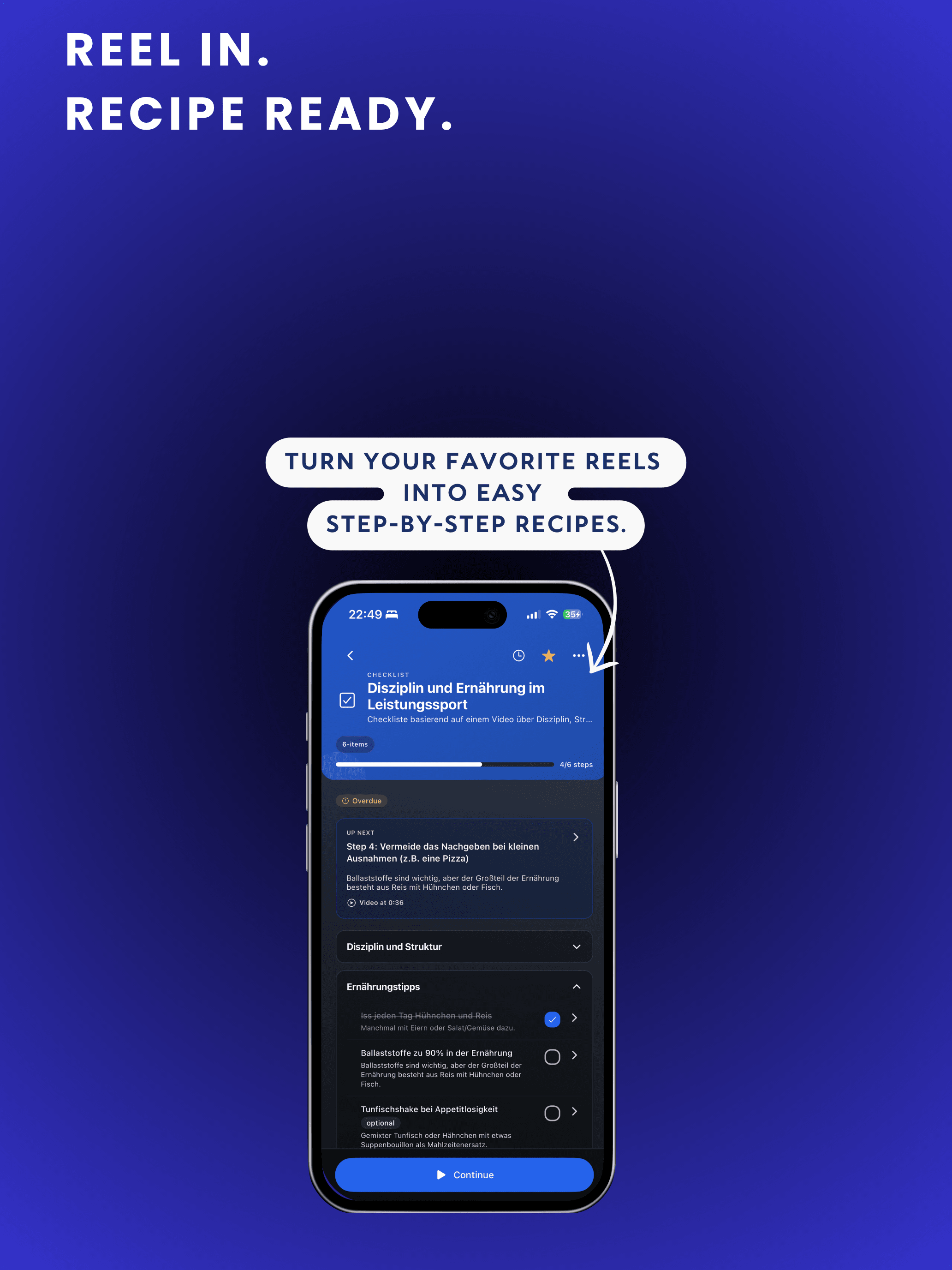
Reel2Plan works out whether it’s cooking, training, DIY or a list — then builds checkable steps, each pointing back to its moment in the video.
Work the steps, run the timers, pause when life happens. Next time you open the app, you pick up exactly where you left off.
Features
Not a summariser to swipe past. Reel2Plan is the execution: Quick Save, cooking mode, workouts, shopping — through to the last checked-off step.
Keep a video in seconds without spending any quota. Turn it into a full plan later, when you actually need it.
Check off ingredients first, then cook: large steps, a timer per step, screen stays awake. Scaling servings recalculates the amounts.
Exercises in the right order, sets and weights logged, rest timers included. Sessions land in your history.
Schedule plans on days, move them around and see what is coming up — shared weekly shopping included.
Push recipe ingredients into a list, tick them off in the shop, merge several recipes into one run.
Export dates from event plans to your calendar — natively or as an .ics file — and get a push reminder before they start.
The iOS widget shows the plan you are on. The share extension imports straight from whichever app you are scrolling.
Every completed step is saved. Interruptions are expected — you rejoin exactly where you were.
Use cases
A recipe is not a to-do list and a workout is not a build guide. Reel2Plan treats them differently — so you don’t have to relearn the app.
Sunday dinner from that TikTok: ingredients scaled to your servings, cooking steps with timers. Shop and cook without scrubbing back once.
Trust
AI that produces instructions has to be verifiable. Reel2Plan visibly separates what the video said from what was filled in — so you decide what to follow.
Steps reference their moment in the video. One tap takes you to the matching passage in the transcript.
Estimated amounts, times or temperatures are labelled as estimates instead of being sold as fact.
Medical, hazardous or safety-relevant content is detected, flagged with a warning and never handed out as a follow-along guide.
Usage analytics only with opt-in (first-party). Optional device features like Face ID, location or Health only with permission. Delete your account in settings. Details: reel2plan.com/en/privacy.
Pricing
Quick Save and your library are free. Cooking mode, shopping lists, scheduling and widgets start at Pro. Power only adds more coins and longer videos.

Need more conversions? Coin packs from €3.99. Annual plans about 20% cheaper. Quick Save stays free and never counts against your quota. Billed through the App Store; cancel subscriptions in Apple ID settings (at least 24 hours before the period ends).
FAQ
Platforms, pricing, accuracy and privacy — answered clearly, with the details that actually matter.
Reel2Plan accepts clips from YouTube, TikTok, Instagram, Facebook and X. Share the video into the app from the iOS share sheet, or paste the link in Reel2Plan. If you want to save first and convert later, use Quick Save — it does not spend coins.
No. You can start without one: Quick Save and your library are free, plus 3 coins per week for AI conversions (videos up to 2 minutes). Cooking mode, shopping lists, weekly planning and widgets are included with Pro. Power offers the same features with a higher quota and videos up to 10 minutes. Billing runs through the App Store; cancel in Apple ID settings at least 24 hours before the period ends.
Coins are the quota for AI conversions. One coin equals 30 seconds of video, rounded up. The free tier receives 3 coins per week; Pro receives 40 and Power 120 coins per month. Extra packs start at €3.99 and add quota only, not features. Quick Save never spends coins.
Up to 2 minutes (120 seconds) on the free tier, 5 minutes (300 seconds) with Pro and 10 minutes (600 seconds) with Power. Longer clips can still be stored with Quick Save and converted later once you have enough quota.
Reel2Plan reads the video’s transcript and description and turns them into actionable steps. Every step stays tied to its source, and estimated amounts, times or temperatures are labelled as estimates. Medical, hazardous or safety-critical content is handled conservatively and is never presented as a follow-along guide. You still review the plan before you act on it.
Yes. From a finished plan you create a share link. The recipient imports the plan into their own library — without access to your account. Quick Save entries that have not been converted into a plan cannot be shared yet.
Saving and converting a video requires an internet connection. Plans you have already created can be continued from cached data. Progress and changes sync once you are back online.
The interface is available in German, English, French, Spanish and Italian. Plans are generated in the app language you have selected in Settings.
Reel2Plan is currently available as an iPhone app on the App Store. An Android version is planned; we do not have a public release date yet.
You can sign in with email, Sign in with Apple, or Google. We only receive the profile data you approve for account management — not for advertising. See the privacy policy for details.
Your account and plans are stored in the EU (Frankfurt). We use processors for AI conversion, transcription and subscription billing; some processing may take place outside the EU under appropriate safeguards. Usage analytics run only with your consent. Optional device features such as Face ID, location or Health require your permission. You can delete your account in Settings. Details: reel2plan.com/en/privacy. Questions: reel2plan.com/en/support.
Get Reel2Plan on iPhone — and follow through today on what you usually only save.
Download free — no commitment